Needs agent
The latest public interaction came from a customer.
ReplyTurn for Atlassian Cloud
For Jira Service Management and Customer Service Management teams that need a shared reply signal alongside their workflow.
ReplyTurn is now available on the Atlassian Marketplace for Jira Service Management and Customer Service Management.
One operational answer
ReplyTurn maintains a canonical public-conversation state and exposes it through a Needs Reply Now page, read-only Jira fields, and a CSM request panel.
A quick look at the real app
Three real demo views, not a recording of one conversation. Start with the request that needs an agent, compare reply states in a queue, then see the same signal in CSM.
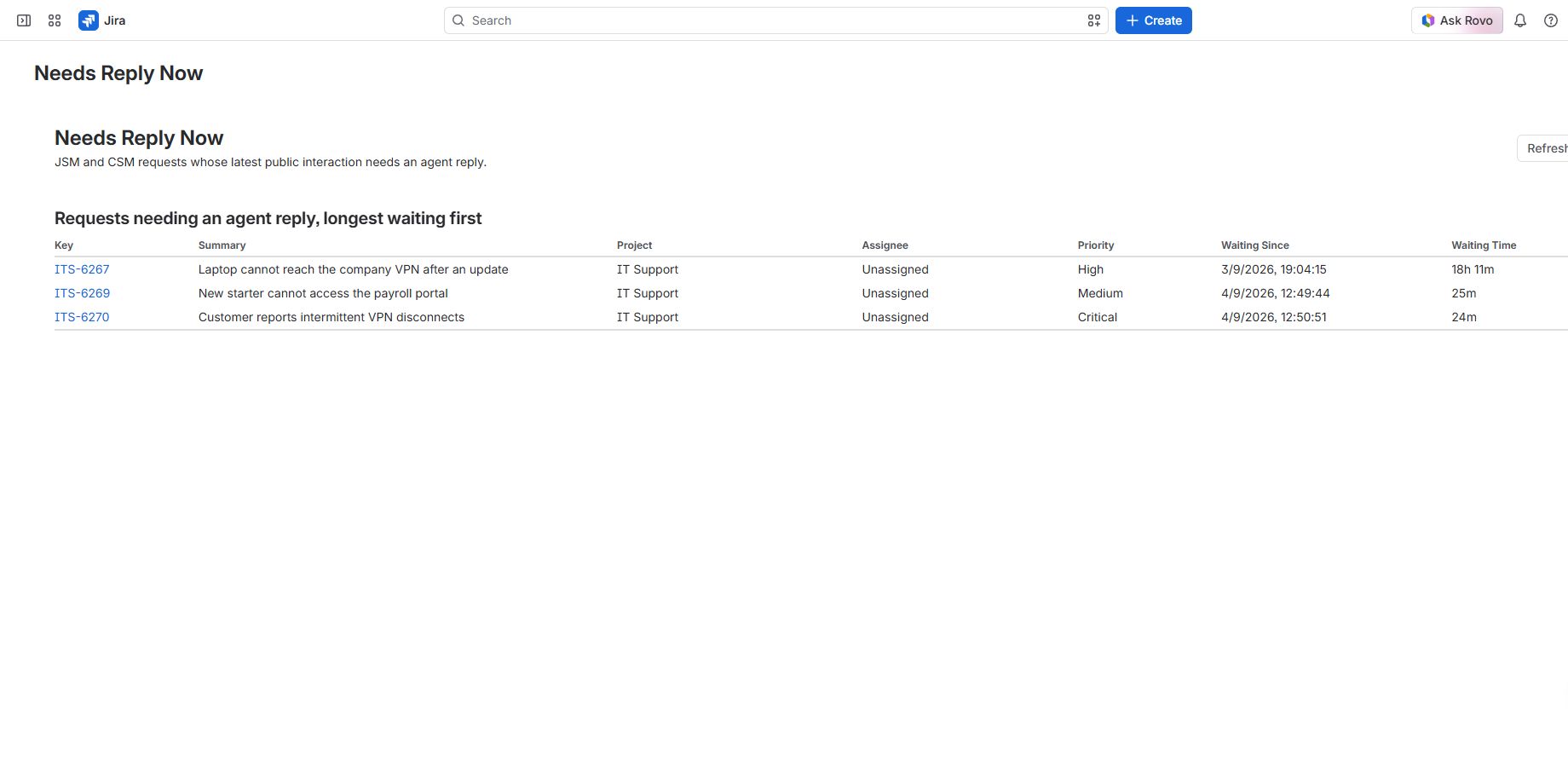

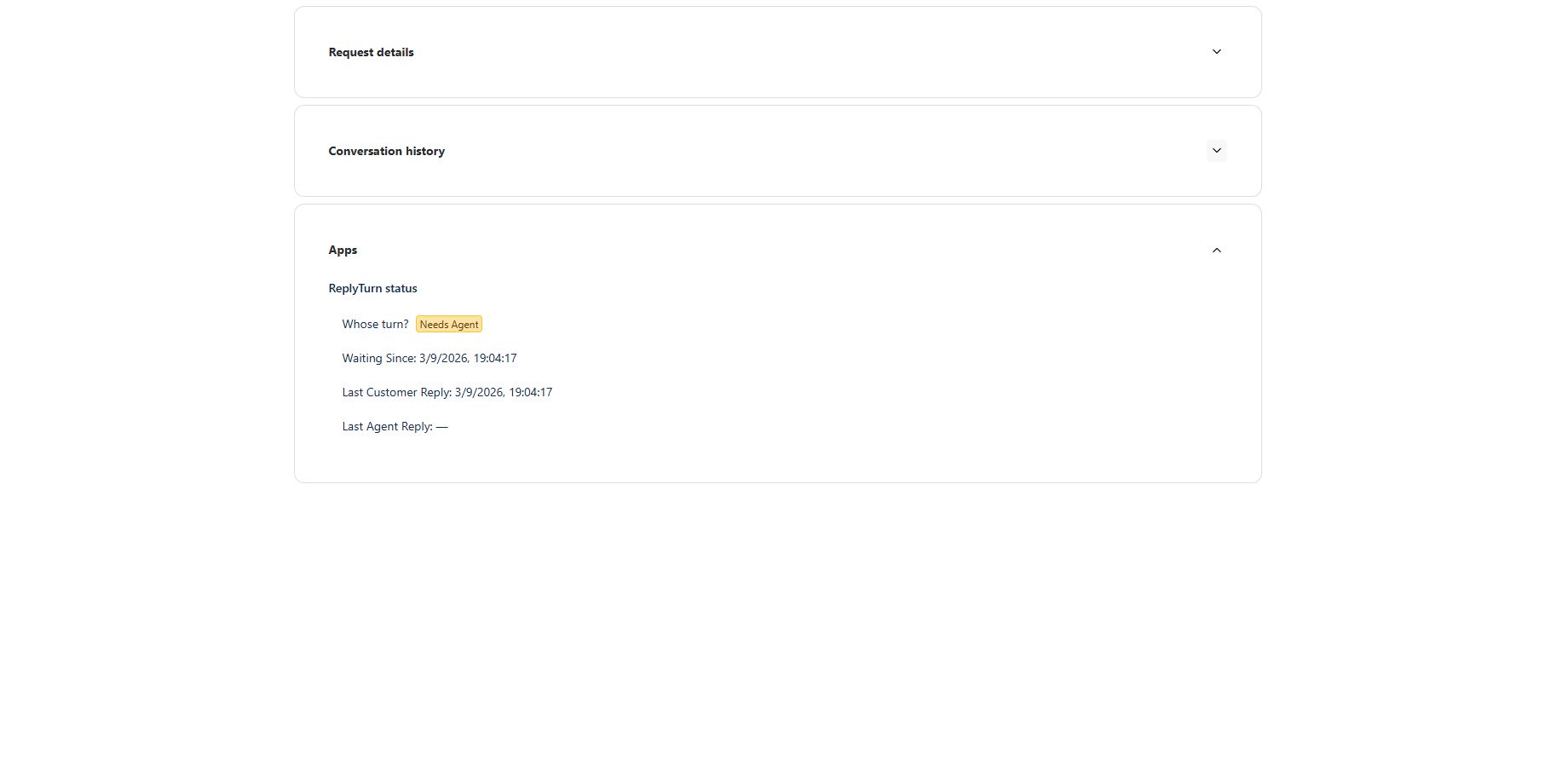
These are controlled demonstration data, not customer results. Forge processes events asynchronously: allow processing time and refresh after a reply. ReplyTurn does not persist comment bodies.
Getting started
A site administrator can find ReplyTurn by Sovereign World Labs in Atlassian Marketplace, choose the available install or trial action, select the Jira Cloud site, review the requested permissions, and complete the installation. You need access to the JSM or CSM requests you want to work on.
In a Jira Service Management or Customer Service Management space, expand Queues in the space navigation and select Needs Reply Now. In a CSM support-site request, expand Applications to view the ReplyTurn status panel.
A newly created customer request can already need an agent reply even without follow-up comments. The three states below describe whose turn it is; ReplyTurn does not persist comment bodies.
Canonical states
The latest public interaction came from a customer.
The latest public reply came from an agent.
The request has not started a public reply exchange.
Internal notes never change reply ownership.
Recent open requests are processed first while live events continue.
Public conversations are processed to derive reply state. Comment bodies are not persisted or sent outside Atlassian.
Waiting Since and the last customer and agent reply timestamps support JQL and queues.
Before you choose
No. Your workflow status and the next public reply are separate signals. Jira automation may already cover your process. ReplyTurn is for teams that want a shared conversation-derived state alongside that process without changing workflow statuses.
No. ReplyTurn is not a personal read receipt. Its reply state comes from the public conversation, not from who most recently opened a request.
No. Internal notes are excluded from the public-conversation reply calculation.
It processes the information required to derive reply state, but it does not persist comment bodies. It does store derived state and technical information described in its privacy documentation. “No comment-body storage” does not mean “no data processing”.
Do not assume that. Follow the setup guide and the processing status shown by the app. The documented onboarding prioritizes active requests; it is not a guarantee that every site's history is processed instantly.
Use the total shown for your site in Marketplace. The billable population is not simply the people who open ReplyTurn. Sites in the approved free tier may pay nothing; larger sites follow the published schedule.
Product information