Version workload
See remaining hours by current assignee and issue type across one project and 1–50 selected versions.
Version Workload Reports for Jira Cloud
For project, engineering, and delivery managers who plan in hours and need to understand the estimates already held in Jira.
Version Workload Reports is available on the Atlassian Marketplace for Jira Cloud.
One source, visible coverage
Choose a project and versions, a whole project, or an accessible saved filter. VWR reports known hours together with coverage, links every total to its contributing issues, and exports the exact complete result to CSV.
Read why known hours still need estimate coverageA quick look at the real app
These approved product views use controlled synthetic data. Start by choosing the report and Jira scope, read workload with honest estimate coverage, then inspect the contributing issues and export a complete result.
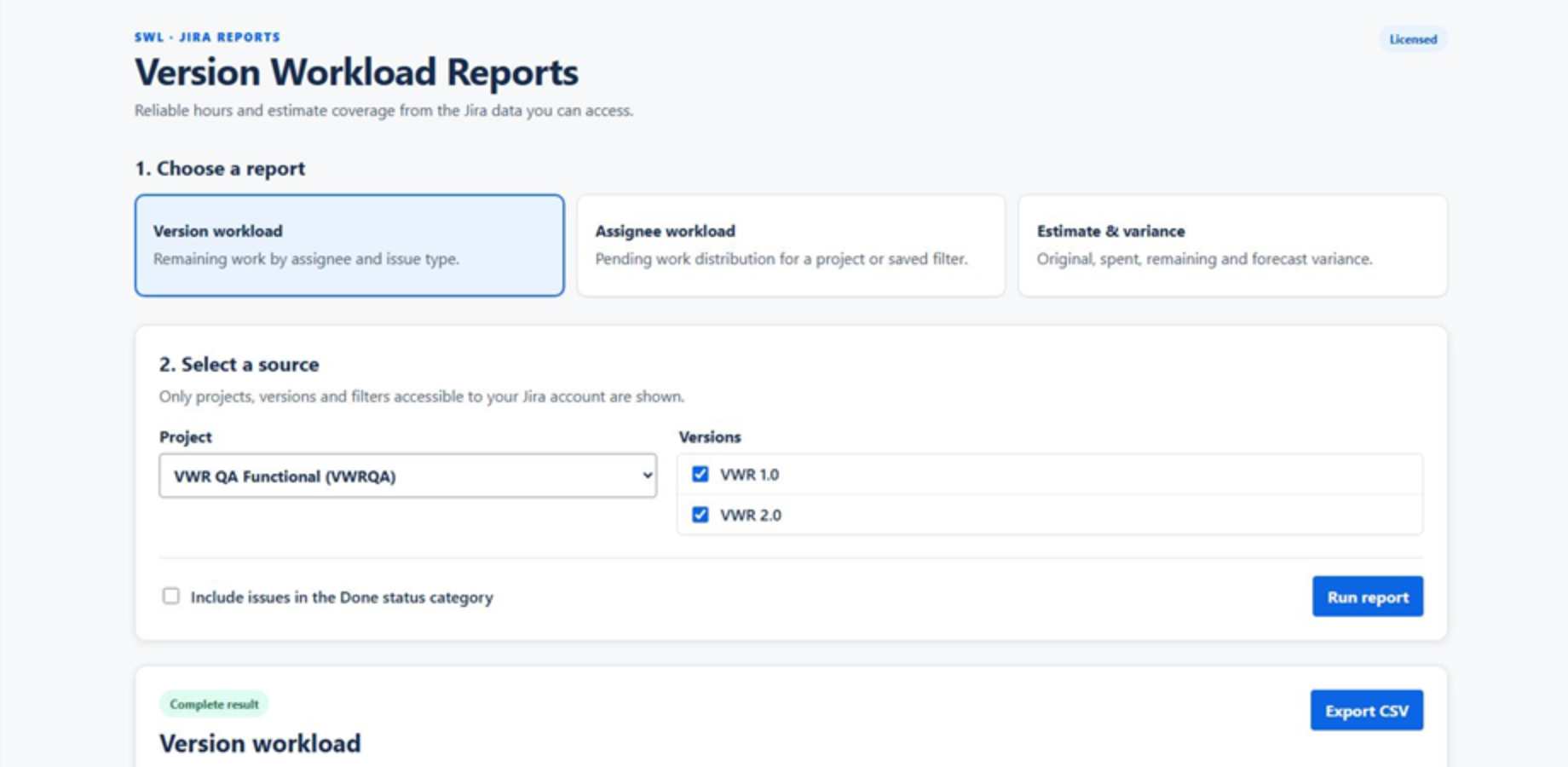
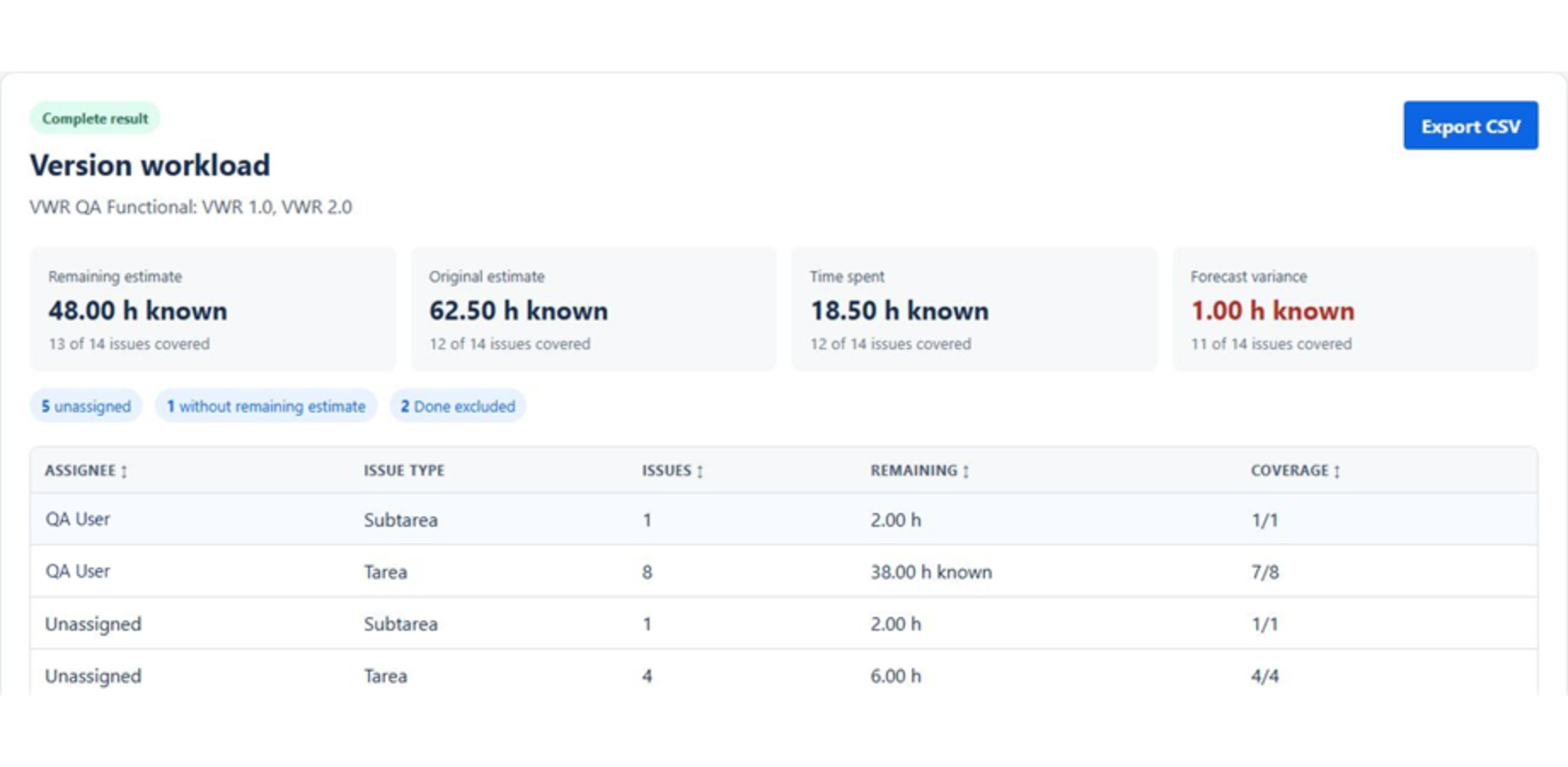
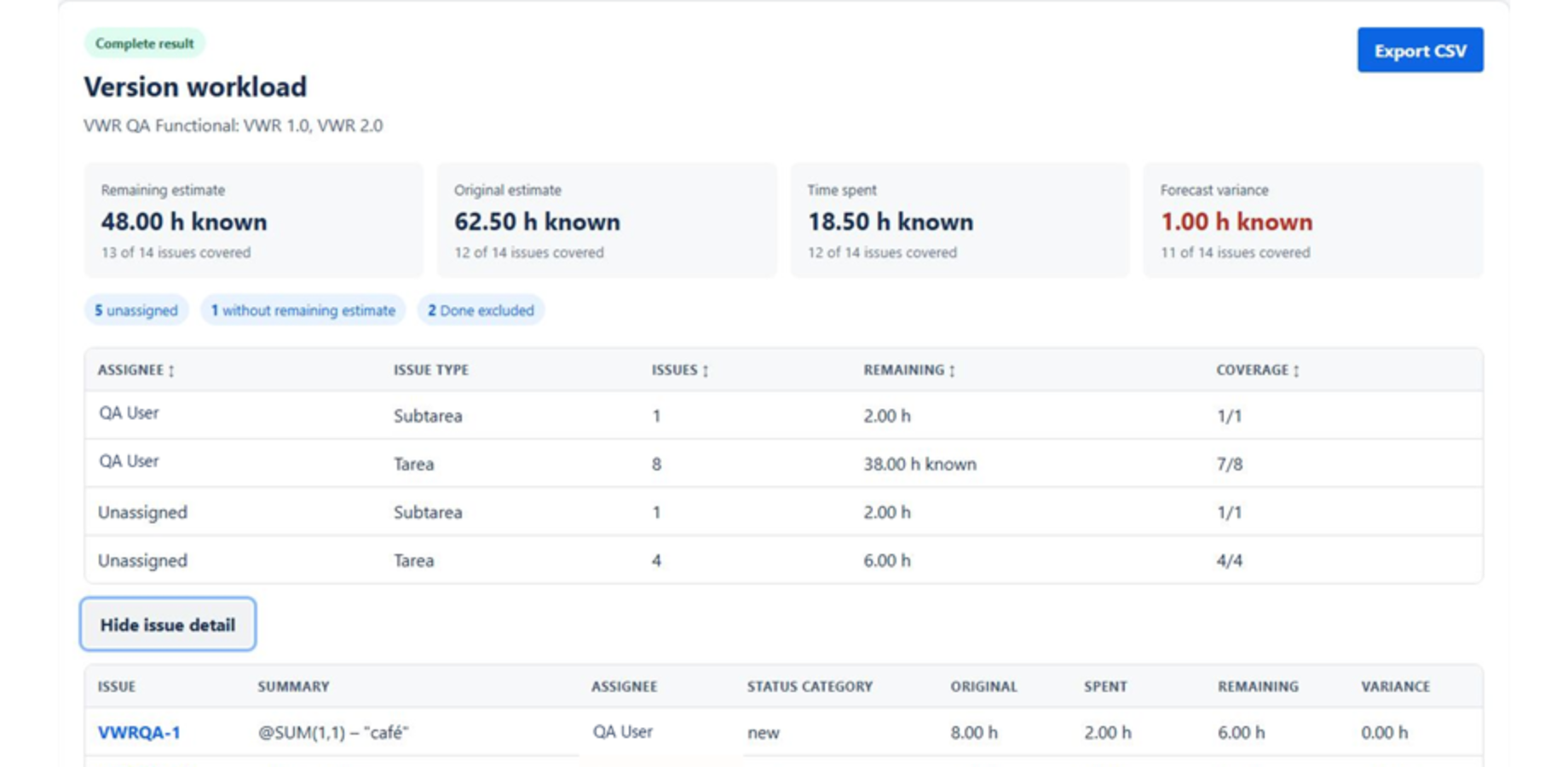
Visible issue keys and summaries are synthetic. Personal labels are presentation-anonymized; the displayed numbers and report states were not changed.
Getting started
A Jira or site administrator can open VWR on Atlassian Marketplace, choose the available evaluation or install action, select the Jira Cloud site, review the requested read permission, and complete the installation. Users need Jira access to the projects, versions, filters, and issues they report on.
In Jira, open Apps and select Version Workload Reports.
Three report types
See remaining hours by current assignee and issue type across one project and 1–50 selected versions.
Compare remaining hours and estimate coverage for a whole project or an accessible saved filter.
Review original, spent, remaining, and forecast-variance hours for a project or accessible saved filter.
Interactive reads use the signed-in user, with no privileged fallback.
Missing estimates are never silently converted to zero or complete coverage.
Incomplete retrieval is marked non-authoritative and cannot be exported.
Reports stay in the browser session; CSV is generated from the displayed result.
Before you choose
No. VWR is read-only. It does not create, edit, transition, or delete issues, and it does not modify project configuration.
No. Interactive Jira reads use the signed-in user’s permissions. Projects, versions, filters, and issues that Jira does not return to that user are not intentionally exposed through the app.
No. Zero is a known value; a missing or invalid estimate remains unknown. Each metric shows its known-issue coverage so an incomplete estimate population is visible.
For an issue with all three values known, variance is time spent plus remaining estimate minus original estimate. The total uses only that complete-component subset. It is not a delivery-date prediction or a measure of individual productivity.
No. The browser generates CSV from the complete report already displayed. Export is disabled when retrieval is incomplete, and unknown numeric values remain blank.
No. Atlassian Marketplace manages the site’s evaluation, subscription, and billing. VWR separately limits a report to 1,000 included issues, 100 pages, and up to 50 selected versions.
Product information